AI Detects Dead Code in Legacy Systems
A practical guide to finding and retiring code that serves no one
Every mature system carries dead code. Endpoints no one calls. Flags no one toggles. Batch jobs that write a file and no one reads it. The cost is real. Bigger binaries, slower builds, attack surface, and more places for bugs to hide. The good news is you can detect dead code with high confidence using a mix of AI and simple signals, then remove it safely without drama.
Why humans miss it
Dead code hides in the gaps between teams and tools. Engineers see their service, not the whole system. Logs show one window in time, not long arcs. Coverage reports miss code paths that are wired but unused. People move on and folklore becomes fact. AI is good at stitching these partial views into a single picture.
What "dead" looks like in practice
- Routes that never appear in gateway logs or client code
- Methods compiled into artifacts but never called in traces
- Feature flags left in the "temporary" position for years
- Cron jobs that produce identical outputs month after month
- Database tables and columns written by one job and read by none
- Library forks pinned years ago that no code actually imports
Not all of these are strictly dead. Some are dormant or seasonal. The goal is to turn suspicion into evidence.
A liveness score you can trust
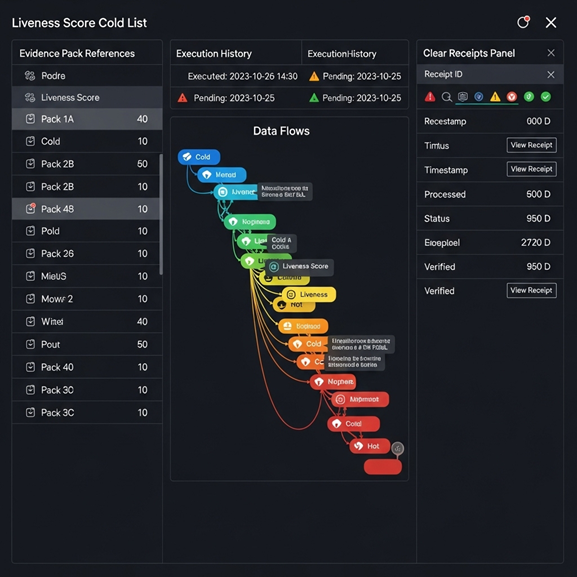
LensHub assigns each code path a simple liveness score by combining static and runtime signals:
References
Call graphs, import graphs, API gateway configs, and client SDK usage.
Execution
Logs and traces across seasons, not just the last week. Batch windows and peak cycles are included.
Change history
Commits, authorship, and churn. Paths untouched for years get a lower score.
Configuration
Feature flags, environment toggles, and routing rules. "Always on" or "always off" flags say a lot.
Data flows
Writes with no readers, readers with no current writers, and report queries that never scan recent partitions.
The model weighs these signals and explains the score in plain language with links you can click. You see why something is marked cold, not just a red label.
A safe removal playbook
Finding candidates is only half the work. Here is the removal loop that avoids surprises.
Propose
LensHub creates a "cold list" with evidence packs. Each entry shows references, last seen in logs, flag state, and downstream consumers.
Quarantine
Replace the code path with a guard. For an endpoint, return a soft 410 behind a feature flag. For a job, put it behind a scheduler toggle. For a column, mark it read-only.
Watch
Run in watch mode for two to four weeks. If anything or anyone calls the path, you get an alert with the caller. If not, confidence rises.
Delete
LensHub drafts a pull request that removes the code, cleans routes, drops unused config, and updates the changelog and release notes. For data, it generates a reversible migration.
Rollback
Keep a kill switch for one full cycle. If a hidden consumer shows up, flip the switch and investigate with the evidence you just gained.
This keeps users safe and creates a paper trail your auditors can follow.
What to measure so the value is obvious
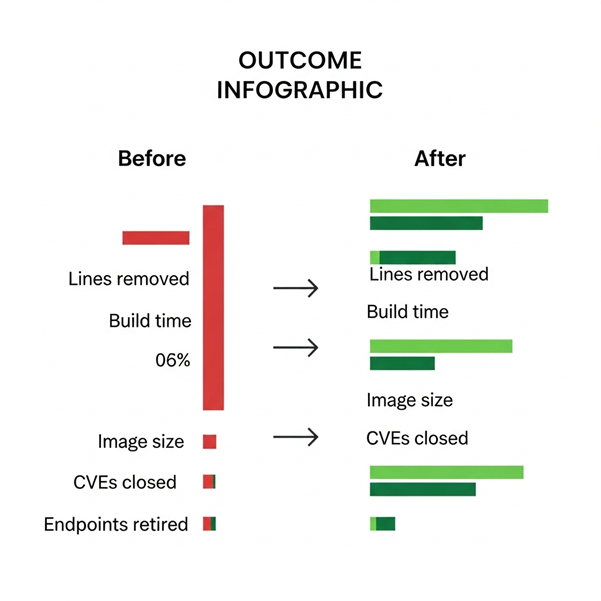
- Lines and files removed with evidence links
- Build and test time reduced
- Binary or image size reduced
- Dependency count and known CVEs removed
- Endpoints, jobs, and queries retired
- Cost per request or per job after removal
Share the same chart every Friday. Consistency builds trust and makes "delete code" feel like a win, not a risk.
A short example
A fintech platform ran a liveness scan across three services. The cold list flagged fifteen API routes with zero gateway hits in six months, two nightly jobs that produced identical CSVs, and a forked HTTP client no code imported. The team quarantined the routes behind a flag and paused the jobs for four weeks. No alerts fired.
Deletion removed twelve thousand lines and several megabytes of static assets. Build time dropped by 11 percent. The security team closed four CVEs by removing the forked client and two transitive libraries. Nothing user facing changed. Incidents dipped because there were fewer moving parts.
Why AI helps here
Scope
Models read code, configs, and logs at a scale and speed people do not have.
Correlation
They link runtime behavior to code shape and change history in one view.
Narrative
They explain each candidate in simple language with receipts, so humans can review quickly and make a decision.
AI does not delete code on its own. It builds the case so your team can delete with confidence.
How LensHub works under the hood
- Scans repositories to build call graphs and import graphs
- Mines logs and traces across months to find execution frequency
- Reads feature flag history and routing rules to detect permanently parked paths
- Analyzes SQL reads and writes to catch orphaned tables and columns
- Generates evidence packs and pull requests with guarded removals, release notes, and rollback switches
All analysis runs in a controlled lane. Source code stays in your network by default.
Pitfalls to avoid
- Deleting seasonal code without a long enough watch window
- Removing a writer before you confirm no reader depends on the side effects
- Dropping a column without a reversible migration plan
- Treating "unused in tests" as "unused in production"
- Forgetting to update client SDKs and docs when you retire public endpoints
A little patience prevents a lot of paging.
Closing thought
Dead code is a tax you do not need to keep paying. With an AI assisted liveness score, a short quarantine, and a reversible delete, you can shrink your surface area and speed up your team without putting users at risk. The more you remove, the easier everything else becomes.
Find and Remove Dead Code Safely
If you want a cold list for your top services next week, ask for a LensHub Dead Code Brief. We will deliver the candidates, the evidence, and a safe delete plan your team can ship.