VB6 to Modern Migration Without Breaking Business
Moving away from VB6 feels scary for a simple reason. The software still runs.
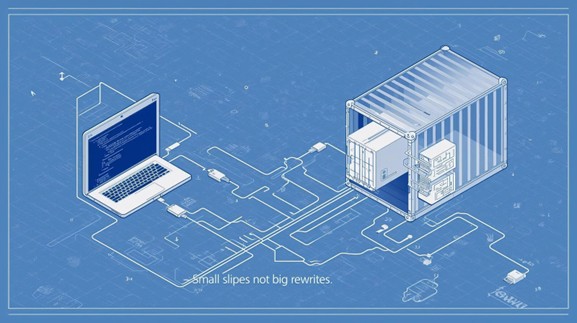
People know the screens. Changing it sounds like risk. The truth is you can leave VB6 behind without big outages or long freezes. The key is to treat it as a careful series of small steps, not a giant rewrite.
Why this matters now
VB6 is old. The tools are no longer supported. Hiring people who know it is hard. Many VB6 apps also rely on things like local files, shared folders, and machine specific settings that are fragile. Keeping this going drains time and creates hidden risk. You do not need a new system overnight. You need a safe way forward that keeps the lights on while you move.
The safe path in plain English
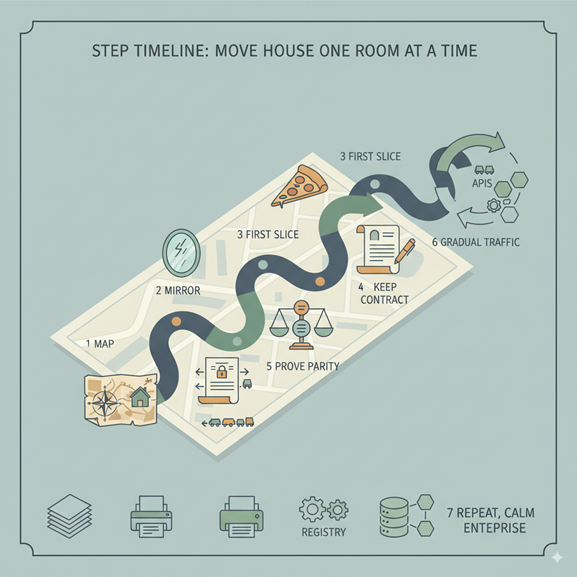
Think of this as moving house one room at a time.
1) Make a simple map
List what the app does and what it touches. Note screens, background jobs, file paths, printers, shared drives, spreadsheets, registry settings, and any outside systems it talks to. Mark what is mission critical and what is nice to have. You now have a picture of risk and effort.
2) Set up a safe copy
Create a mirror of the VB6 app in a test lane. Feed this lane with real looking data and sample requests. Compare its results to production. Fix differences here, not in front of customers. This mirror lets you practice changes without fear.
3) Pick one slice to modernize
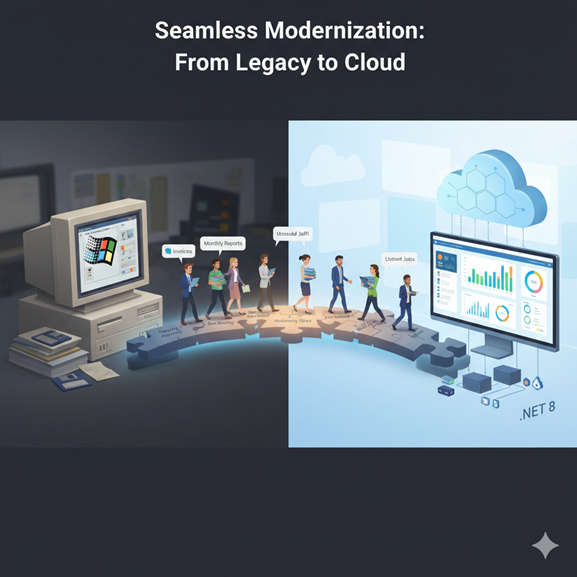
Choose a small, clear function like invoice PDF creation, pricing rules, or a report. Build that slice in a modern stack such as .NET on an LTS version. Keep the old app as the front door while the new slice runs behind it.
4) Keep the contract the same
Do not change how users or other systems call that function. Put a thin adapter in front so callers send the same inputs and get the same outputs. Inside the adapter you can route to the new code. This keeps other teams calm.
5) Prove the new slice behaves the same
Write a short checklist of input and output pairs for this slice. Run both the old and the new slice on the same inputs. Compare results. If they match and the new slice is fast enough, you are ready.
6) Move traffic a little at a time
Send a small percentage of requests to the new slice. Watch logs and errors. If something looks off, send traffic back to the old path with one switch. When confidence grows, move more traffic. No long maintenance windows needed.
7) Repeat
Once one slice is stable, choose the next slice. Each win reduces risk and builds trust. Over time the old app shrinks. One day there is nothing left to keep.
What usually breaks and how to handle it
- Local file and printer paths: Replace with shared object storage or a managed print service. Put paths in config files, not in code.
- Scheduled tasks on a single server: Move jobs to a managed scheduler. Keep job history and alerts in one place.
- Excel or Access used as a mini database: Extract the logic and store the data in a real database. Keep the same outputs for downstream teams.
- Custom plugins and COM components: Wrap the calls behind a clean interface. Replace them step by step. Keep tests that prove the inputs and outputs do not change.
- Hard coded settings: Move settings and secrets to a secure store. Load them at startup. This makes the app portable and easier to run in containers later.
What to modernize to
- Runtime: Use a current LTS version of .NET. LTS means regular fixes and a clear support window.
- Interfaces: For service calls use REST or gRPC. Keep request and response shapes stable while you switch the engine behind them.
- Deploy: Start with simple containers if you can. You get repeatable builds and fewer server surprises. Use a blue and green setup so you can switch between versions with a click.
How to explain this plan to finance and the board
Speak in outcomes, not acronyms.
- Less downtime: You are not doing risky weekend cutovers. You are switching small pieces with a quick rollback option.
- Lower support cost: Fewer hand fixes. Fewer one person only tasks. Less time spent on old tools.
- Faster change: New features land in modern code where hiring and builds are easier.
- Risk retired: Each slice moved is one less single point of failure.
Track three simple metrics for updates. Time to release a change in the modern slice. Number of incidents per month. Cost per transaction before and after. This tells a clear story without deep technical detail.
A 90 day outline
Weeks 1 to 2
Map the VB6 app and its touch points. Stand up the mirror lane. Choose the first slice and write the parity checklist.
Weeks 3 to 6
Build the first slice in modern tech. Keep the same inputs and outputs. Prove parity in the mirror.
Weeks 7 to 8
Send a small share of real requests to the new slice. Watch results. Increase share as confidence grows.
Weeks 9 to 12
Close the first slice fully. Pick the next slice. Repeat the same steps. Share results and numbers with leaders.
Where LensHub helps without getting in the way
LensHub makes the map for you and keeps it fresh. It finds file paths, scheduled jobs, hidden endpoints, and one off scripts around your VB6 app. It sets up the safe mirror so you can compare old and new outputs with one view. It suggests a first slice based on risk and value. It watches the cutover and flags differences early. Your team stays in control. LensHub removes guesswork.
Closing thought
You do not need a big bang to leave VB6. You need a calm plan. Map the truth. Mirror the system. Move one slice at a time. Keep users happy while you modernize. That is progress you can ship.
Migrate from VB6 Without Breaking Business
If you want a one page plan tailored to your app, ask for a LensHub VB6 to modern brief. We will turn your code and workflows into the first safe move.